How to build a scalable CRM: lessons on data model, lead capture, roles, reports and call sync from building Xale, plus a checklist before you build or buy.
- Published
- Updated
- Reading time
- 20 minutes
Drafted with AI tools; researched, edited and approved by Althameem Ali. Our editorial policy
On this page · 17 sections
- What does "scalable" mean for a CRM?
- Why does the data model decide whether a CRM scales?
- How should leads flow in from Meta, web forms and WhatsApp?
- How do you stop duplicate leads without losing any?
- Who should see what once the team grows?
- How do follow-ups survive staff turnover?
- What makes CRM reports trustworthy at scale?
- Why does the mobile app matter more than the dashboard?
- How do you keep a CRM fast as the data grows?
- Where the data lives, and who can see it
- How do you move to a new CRM without losing history?
- What makes a sales team actually use a CRM?
- Should you build a CRM or buy one?
- A checklist before you build or buy
- Frequently asked questions
- What to do next
- Changelog
Full disclosure: Xale CRM is made by Xale Private Limited and built by the team behind Marketlube, so we are not neutral about it, and the custom CRMs we build are configured and extended on the Xale platform, as our team reports. This post is not a pitch: it is what the platform gets right, and what we would tell anyone planning a CRM that has to keep working as the leads, users and branches multiply. Xale's own site, xale.in, has the product, its plans and a free trial; this post is only the engineering story.
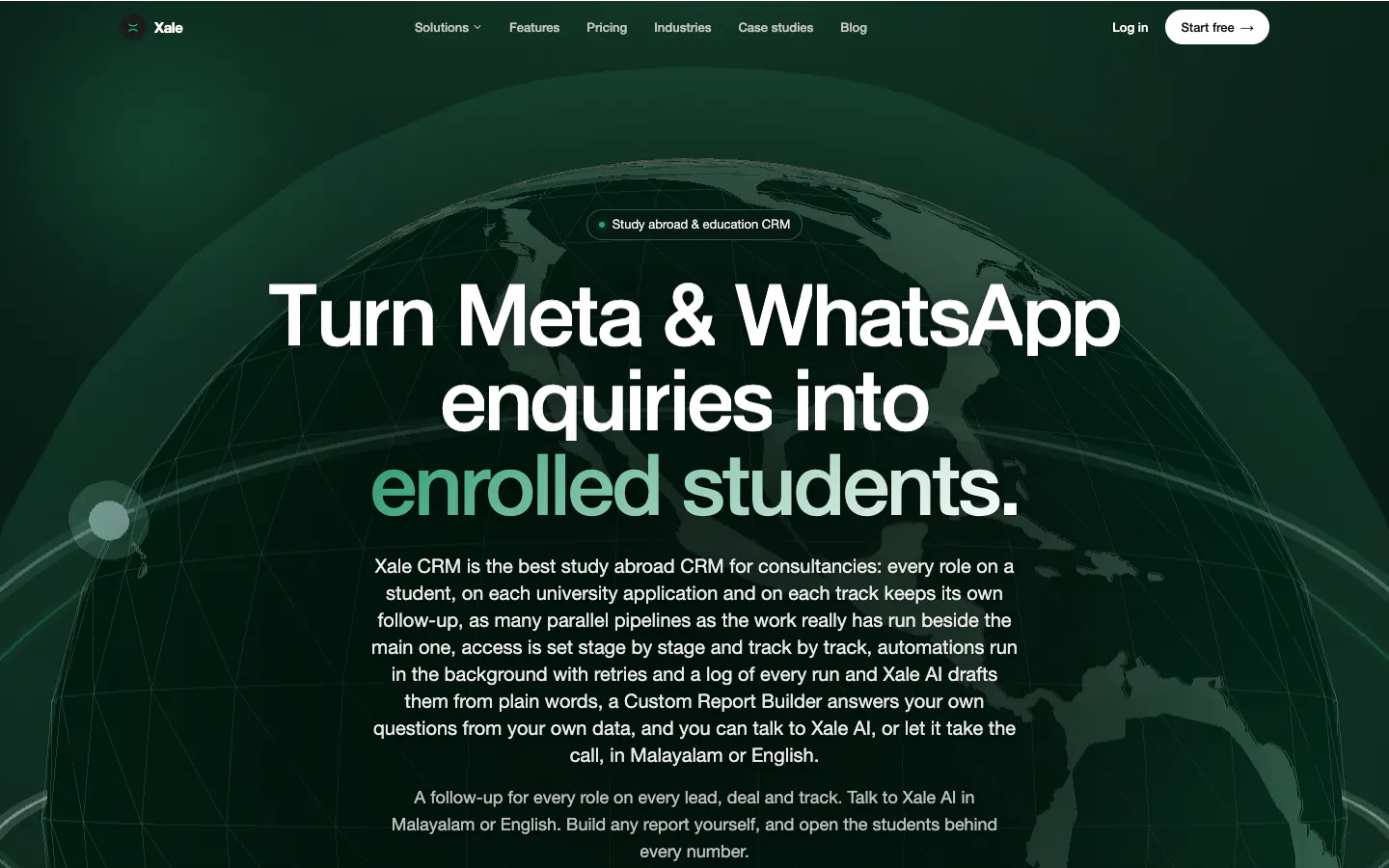
Xale is a CRM for study abroad consultancies, colleges and academies, made in Kozhikode. It runs a student's journey from enquiry to enrolment in one pipeline, with Meta lead ads, WhatsApp and counsellor calls built in; the Xale case study has the detail. Each lesson below starts with what Xale does, from its published feature list (opens in a new tab), and then what to copy for your own CRM, bought, configured or built.
What does "scalable" mean for a CRM?#
Most people hear "scalable" and think of the database. That is the easy part: a modern database stores millions of rows without complaint. What breaks as a business grows is everything around the rows:
A CRM is scalable when growth on all four fronts doesn't make it slower, messier or less trusted, and most of that is decided in the first weeks of design.
Why does the data model decide whether a CRM scales?#
Xale's central design choice is how it counts. A study abroad student applies to several universities at once, each application with its own stage, owner, payments and documents. So every application gets its own deal, while the student counts once in conversions. Loans, visas, scholarships and housing run as parallel tracks beside the main pipeline (opens in a new tab), and stage rules block a move until the named documents are in the student's document vault.
What to copy:
- Model the person once and the opportunity many times. A buyer viewing three villas or a student with four applications is one lead with several deals. Squeeze them into one record and your pipeline lies; split them into several leads and your conversion rate lies.
- Keep side journeys off the main pipeline. A loan or a visa has its own stages and owner, and a parallel track gives that team its own queue.
- Turn requirements into data. "No Deposit stage without the offer letter" works only when the CRM enforces it.
- Store the source the moment a lead arrives. Campaign, form, ad, branch and channel are cheap to save on day one and impossible to rebuild a year later.
Get this layer right and features can be added for years. Get it wrong and every new report becomes a workaround.
How should leads flow in from Meta, web forms and WhatsApp?#
Xale takes leads from Meta lead ads with their campaign and form tags, from website forms, and from WhatsApp through the official Cloud API into a shared inbox scoped by role. A daily ad-spend sync keeps cost per lead current, and Xale never marks up WhatsApp messages.
What to copy:
- Capture by webhook, then reconcile. WhatsApp's documentation says every incoming message and delivery status reaches you by webhook (opens in a new tab) (read 4 October 2026), and Meta can notify your server of new lead ad submissions (opens in a new tab) the same way. Add a scheduled check for anything a webhook missed, so a server restart at the wrong minute doesn't cost you a lead.
- Mind Meta's 90-day window. Lead ad submissions can be downloaded for 90 days after the form is submitted, according to Meta's help page on expired leads (opens in a new tab) (read 4 October 2026). A sync that breaks unnoticed for three months loses those leads for good.
- Make every write safe to repeat. Webhooks can arrive twice or out of order, so check each event's ID before saving and a retry never creates a second lead.
- Queue the spikes. A WhatsApp business number can send up to 80 messages a second by default, and up to 1,000 after an automatic upgrade for high-volume numbers (opens in a new tab) (read 4 October 2026). Replies to a campaign arrive in bursts: receive fast, queue the work, then process it in order.
Our WhatsApp CRM guide covers the API, pricing and routing, and the Click-to-WhatsApp ads guide covers the ads.
How do you stop duplicate leads without losing any?#
Xale detects duplicate phone numbers and spreads leads fairly across branches. Duplicates are the first thing to rot a CRM at volume: a student fills in a Meta form in March, messages on WhatsApp in May, and two counsellors end up calling the same family.
- Normalise before you compare. Store phone numbers in one international format with the country code, so "+91", spaces or a leading zero don't create a second person. With Gulf numbers in the mix, this is not optional.
- Attach, don't overwrite. When a known lead enquires again, add the new enquiry and its source to the existing record and alert the owner.
- Never auto-merge on a weak match. Names are unreliable. Flag likely duplicates for a person to review, and log every merge so it can be undone.
- Distribute by rule. Round-robin by branch, language or product, with a cap per person. Counsellors who trust the distribution stop keeping leads in their own phones.
Who should see what once the team grows?#
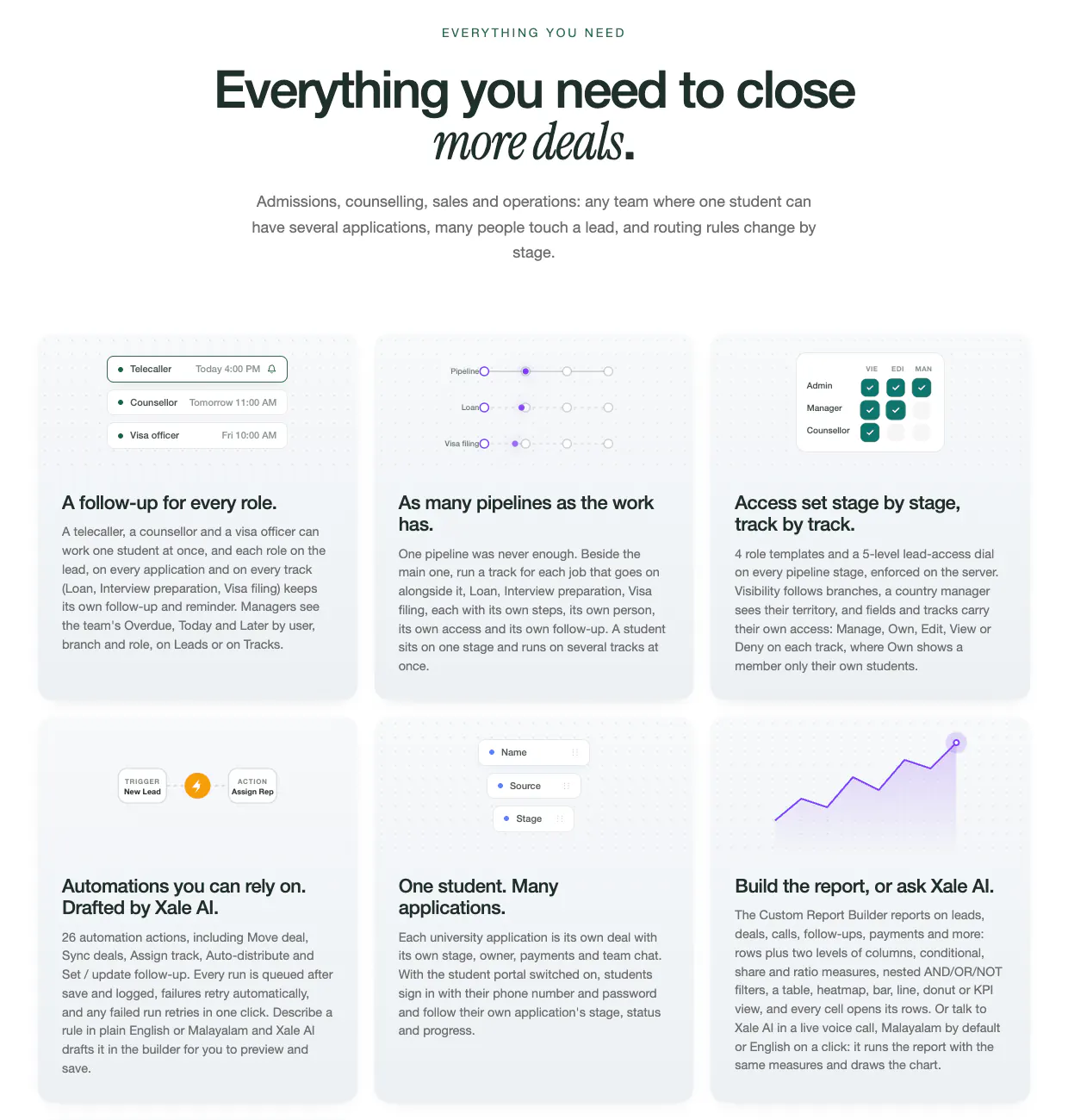
Xale has five-level access per stage, branch and field (opens in a new tab), a WhatsApp inbox scoped by role, and follow-ups owned by role: telecaller, counsellor and visa officer. That is what lets a consultancy with several branches run one system without every user seeing every student.
- Permissions are data, not code. When a branch opens or a role changes, an admin updates the settings; no developer needed.
- Scope by branch and stage, hide by field. A telecaller needs the phone number but not the fee; an accountant needs the fee but not the chat.
- Keep an audit trail and restrict exports. "Export all leads" is the most dangerous button in any CRM.
There is a legal reason too. India's Digital Personal Data Protection Rules were notified on 14 November 2025 with an eighteen-month period for phased compliance, and the Act's highest penalty, up to ₹250 crore, applies to failing to keep reasonable security safeguards, according to the government's backgrounder on the Rules (opens in a new tab) (read 4 October 2026). Role-based access and audit logs are how a CRM shows those safeguards exist. The rest of the Rules, from consent notices to deletion requests, is in our DPDP compliance checklist.
How do follow-ups survive staff turnover?#
In Xale, follow-ups belong to the telecaller, counsellor or visa officer, every lead and application has its own team chat, and Xale's 26 automation actions (opens in a new tab) are retried and logged in plain English. That matters most on the day someone resigns.
- Make the follow-up a record, not a reminder, with an owner, a due date and an outcome. Overdue follow-ups become a queue a manager reviews every day.
- Keep the conversation on the lead, so the next person picks up where the last one stopped instead of scrolling through a former colleague's WhatsApp.
- Make reassignment one action that takes minutes and leaves a log.
- Let automations explain themselves. "Assigned to the Kochi team by the round-robin rule at 10:42 am" gets trusted; a silent change gets undone by hand.
That rule matters even more once AI agents start changing records; see what to automate first with AI agents.
What makes CRM reports trustworthy at scale?#
Xale's report builder (opens in a new tab) lets every number open the leads behind it, and Xale AI answers questions from the team's own data in Malayalam or English. Drill-down is what decides whether managers believe a dashboard.
- Every number opens its rows. If a "qualified this week" tile can't be clicked through to the named leads, the review meeting turns into an argument about the number.
- Define each metric once. Decide what a conversion is (for Xale, the student, not each application) and use that definition everywhere.
- Join spend to leads daily, so cost per lead is current when decisions are made.
- Fix the time zone and the period. Store one zone, show local time (IST for a Kerala team) and compare like with like.
AI on top of a CRM, Xale AI included, is only as good as the data under it; our guide to AI in CRM covers the uses that pay off and what to fix first.
Why does the mobile app matter more than the dashboard?#
Xale's Android counsellor app syncs each counsellor's own call log and recordings to the right lead, with no per-minute charges. Much of the selling happens on calls, and a CRM that relies on people typing them up sees only part of the work.
- Log calls automatically, matched to leads by the normalised phone number. Manual call logging fades within weeks.
- Work on a weak connection. Queue actions offline and sync later.
- Be open about recording. Tell callers, check the rules in each country you call and limit who can play recordings back.
- One tap per action: call, WhatsApp, log the outcome, set the next follow-up.
How do you keep a CRM fast as the data grows?#
None of this is specific to Xale. It is what any CRM has to get right at volume, bought, configured or built, and Xale's own account of how it does it, from background jobs with retries to hourly backups, is on the Xale platform page (opens in a new tab):
- Index what you search every minute: phone number, owner, stage, branch and next follow-up date.
- Paginate every list, and prepare heavy month-end reports in the background instead of on every page load.
- Move slow work to background jobs. Imports, broadcasts and recording uploads should never make a counsellor's screen wait.
- Back up, and practise restoring. A backup you have never restored is a hope, not a plan.
- Alert on failure. Failed webhooks, slow pages and stuck jobs should reach a developer before they reach a sales manager.
Where the data lives, and who can see it#
Xale is hosted on Amazon Web Services (AWS) and run with the practices AWS recommends (reported by our team), and the aim is zero downtime. To date, no customer has reported an outage, and there has been no known breach of any workspace's data, as our team reports (October 2026). A record like that rests on measures you can name. Here they are in the words of xale.in's platform page, each with what it stops, and every one can be copied:
- Check whose record it is in the data layer, not in each screen. Every standard read and write is "automatically stamped or filtered with your workspace ID", and a request without one is "refused rather than guessed at". That closes the commonest leak in a shared product, where a request for record 1001 returns another customer's record because nobody checked whose it was.
- Test the wall between customers on every change. The platform has "more than 90 automated test suites, including dedicated tests that check one organisation cannot see another's data". Run yours before each release, so the separation is proved again and never assumed.
- Enforce access on the server. Xale sets access "stage by stage, branch by branch and field by field, and the server enforces it on every lead list, board, dashboard and report". Hiding a button is not security: a changed web address or a scripted call must get nothing the role may not see, in an export too.
- Store passwords and secrets so that stealing them yields nothing. Passwords are kept "as bcrypt hashes, never in plain text", and connected app secrets and mailbox tokens are "stored encrypted with AES-256-GCM". bcrypt is slow and salted on purpose, so a stolen table cannot be turned back into passwords at any useful speed, and a secret can neither be read nor quietly altered without its key.
- Trust no link and no payment notice by default. Uploaded documents "go straight to object storage through upload links that expire after five minutes", and payment webhooks are "signature-verified and processed exactly once". A leaked link is dead in minutes, a forged payment notice is rejected, and a replayed one cannot record a payment twice.
- Log the dangerous actions. A separate log for admins "records sign-ins and destructive actions, such as deleting leads or disconnecting an integration, with the user, IP address and device". If something does go wrong, it can be traced to a person, a place and a minute.
- Back up every hour, somewhere else, and check each copy. "Hourly database backups stream to off-site object storage", and "each backup is verified before older copies rotate out". The answer to ransomware, a bad deploy or a human mistake is then a clean copy at most one hour old.
- Never let one process be the whole service. The API "runs as a cluster of worker processes, not one server process", and background jobs "run on their own worker server, apart from the API", with automatic retries. One crashed process or one heavy import then does not take the service down for everyone, which is what built to stay up means in practice.
- Know what your host secures, and what stays yours. Under AWS's shared responsibility model, AWS secures the buildings, the hardware, the power and the network, and, as AWS describes it, its standard protection against common network floods (DDoS) covers the services it hosts. The application on top is the builder's job, and here it is Xale's team's.
Who at Xale can see a customer's data? In xale.in's words: "Xale's own team operates the platform and its backups, and helps inside your workspace when you ask for onboarding or support." Each customer can hold its own copy too: its admins can list workspace snapshots, "run one on demand and download them". And if your contract needs the hosting location in writing, ask and we get it from Xale.
How do you move to a new CRM without losing history?#
The move we know best is Skymark Education's. Our team built a CRM for Skymark, a study abroad consultancy with six offices across Kerala (reported by our team). Building it for a large consultancy gave us the research, the product thinking and the automation know-how that later helped us build a bigger product, Xale. Skymark moved onto Xale in March 2026, as xale.in's story of the move tells it: "A live bridge kept the old system and Xale in step until the previous CRM was retired", with no gap on switch-over day. Our Skymark Education case study covers the work we do for it.
Whatever you are leaving, the same steps protect your history:
- Map every field from old to new, and drop what you no longer need.
- Clean and de-duplicate before importing, or the new system inherits the old mess.
- Keep the original created dates and sources, so year-on-year reports still work.
- Bring open follow-ups across with their owners and due dates. They matter more than closed history.
- Overlap briefly, then make the old system read-only and switch.
What makes a sales team actually use a CRM?#
Adoption decides more CRM projects than architecture does. Xale ships with a ready pipeline (Inquiry → Qualify → Application → Deposit → Visa → Enrolled), six industry templates from study abroad to academies and travel, English and Malayalam, and a student portal where students follow their own applications. Teams using it, as reported by Xale (Sep 2026), include JAIN (Deemed-to-be University), Skymark Education and Clarix Education.
What carries over to any CRM, including one built for admissions teams in education:
- Start with a pipeline that already fits, in its stage names and in its language.
- Ask for three or four fields at entry, and collect the rest as the lead moves forward.
- Give customers a portal, so "what's the status?" stops being a phone call.
- Run the weekly review from the CRM. When the manager reads the dashboard instead of asking on WhatsApp, the team keeps it current.
Should you build a CRM or buy one?#
Buy when your process is standard. When it isn't, configure a platform that already does the hard parts before anyone writes a line of new code.
- A standard sales flow: a packaged CRM such as Zoho or HubSpot is usually cheaper and faster. Our Zoho CRM vs custom CRM comparison sets the costs side by side.
- A study abroad consultancy, college or academy: Xale is a product you can use as it is, on xale.in, without a build. As disclosed above, we are not neutral on that one.
- A hard data model: several deals per person, parallel tracks, branch-level rules, or a CRM that must work alongside portals and internal tools. The lessons above are what the platform already does, so a CRM built around your own process is configured and extended on Xale, not written again, and wider custom software development opens into the same workspace.
- More than sales: when accounts, production and HR need the same data, the choice becomes an ERP one: see custom ERP vs Odoo or Zoho, and what custom software costs in India for the budget side.
Three routes. A packaged CRM on a subscription, such as Zoho or HubSpot, is enough for a standard process and a small team, and often the cheaper answer too. A CRM on Xale is for a hard data model, many users or heavy WhatsApp and portal work. It is configured and extended, not written: the platform already exists, and a first working version takes 6 to 12 weeks on our price list. You pay one fee, or take it as a subscription, which runs on one of Xale's own plans: priced per workspace, with every feature included and no per-user licence, as Xale's pricing page lists them. Enterprise custom deployment and enterprise pricing are available on request. A from-scratch build is what other builders sell. We don't, because it would have to learn every lesson in this post again, from the data model to call sync, and the platform has been through them already.
Whichever you choose, CRM implementation sets out the weeks, the roles and the cost.
A checklist before you build or buy#
Frequently asked questions#
What is the difference between a lead and a deal in a CRM?#
A lead is the person or company; a deal is one opportunity with them, with its own stage, value and owner. A student applying to four universities is one lead with four deals. Keeping the two apart lets you count customers once while still tracking every opportunity.
Do Meta lead ad leads expire?#
Meta makes lead ad submissions available for download for 90 days after the form is submitted. Leads you haven't saved by then are gone, so connect lead ads to your CRM directly and check the sync regularly.
How many leads can a CRM handle?#
There is no fixed limit; it depends on the design. A well-built CRM takes in thousands of new leads a month without strain: Xale reports 10,000+ new leads captured every month and 150+ user seats in its largest single workspace (Xale's platform figures, September 2026). What slows a CRM down is usually missing indexes, unpaginated lists and heavy reports calculated on every page load, not the number of rows.
What to do next#
Write down your lead sources, your stages and how many deals one customer can have. That single page tells you whether a standard CRM fits or whether a platform like Xale already does this for you. If you sell to students, start on Xale's page for education teams (opens in a new tab). If you sell anything else, we configure Xale for you: tell us how your leads move today and we will say honestly whether to buy, configure or keep what you have. The Xale case study sets out the platform underneath, and what we build on it.
Changelog#
- 2026-10-09: Skymark's CRM history as the founder confirmed it on 8 Oct 2026: a CRM our team built for it came first.
- 2026-10-12: The post now reads as the platform's engineering story. The CRMs we build are configured and extended on Xale, paid as one fee or as a subscription on one of Xale's own plans, which are priced per workspace with every feature included and no per-user licence, as Xale's pricing page lists them, with enterprise custom deployment and enterprise pricing on request. Our own per-user subscription figure was withdrawn on 13 October 2026, so this post prints no figure for the subscription route. The build-or-buy section sets out three routes, with a from-scratch build as what other builders sell; Skymark's history is told in the founder's wording of 13 October 2026 (our team built Skymark a CRM, building it gave us the research, the product thinking and the automation know-how that later helped us build Xale, and Skymark moved onto Xale in March 2026, as xale.in tells it); a new section says where the data lives and who can see it: Xale's hosting on Amazon Web Services and its record to date, both as our team reports them (October 2026), then nine of the platform's safeguards in the words of xale.in's platform page, each with what it stops; the section on moving CRMs quotes xale.in on the live bridge that carried Skymark's move; each lesson links the xale.in page it describes; and the close sends education teams to xale.in. The title is now "Scalable CRM: Lessons From Building Xale", and the title and description no longer carry a lead total. Xale's figures now read as xale.in publishes them today (its fact sheet, read 12 October 2026): 10,000+ new leads captured every month and 150+ user seats in its largest single workspace (Platform figures, September 2026). The older user and lead totals are gone, because xale.in no longer publishes them. The disclosure now says Xale CRM is made by Xale Private Limited and built by the team behind Marketlube. The three-routes paragraph is in this post's own words, with our price list's 6 to 12 weeks to a first working version where it said only that a system on Xale is live in weeks.
Related services
Industries
Written by
Co-founder, Marketlube
Althameem Ali researched, edited and approved this post. Marketlube is a growth partner in Calicut building brands, websites, CRMs and campaigns for businesses across Kerala, India and the Gulf.